

How do I enable it?
1
Open the Integrations page
Go to Integrations in your CookieChimp dashboard and find the Global Privacy Control card.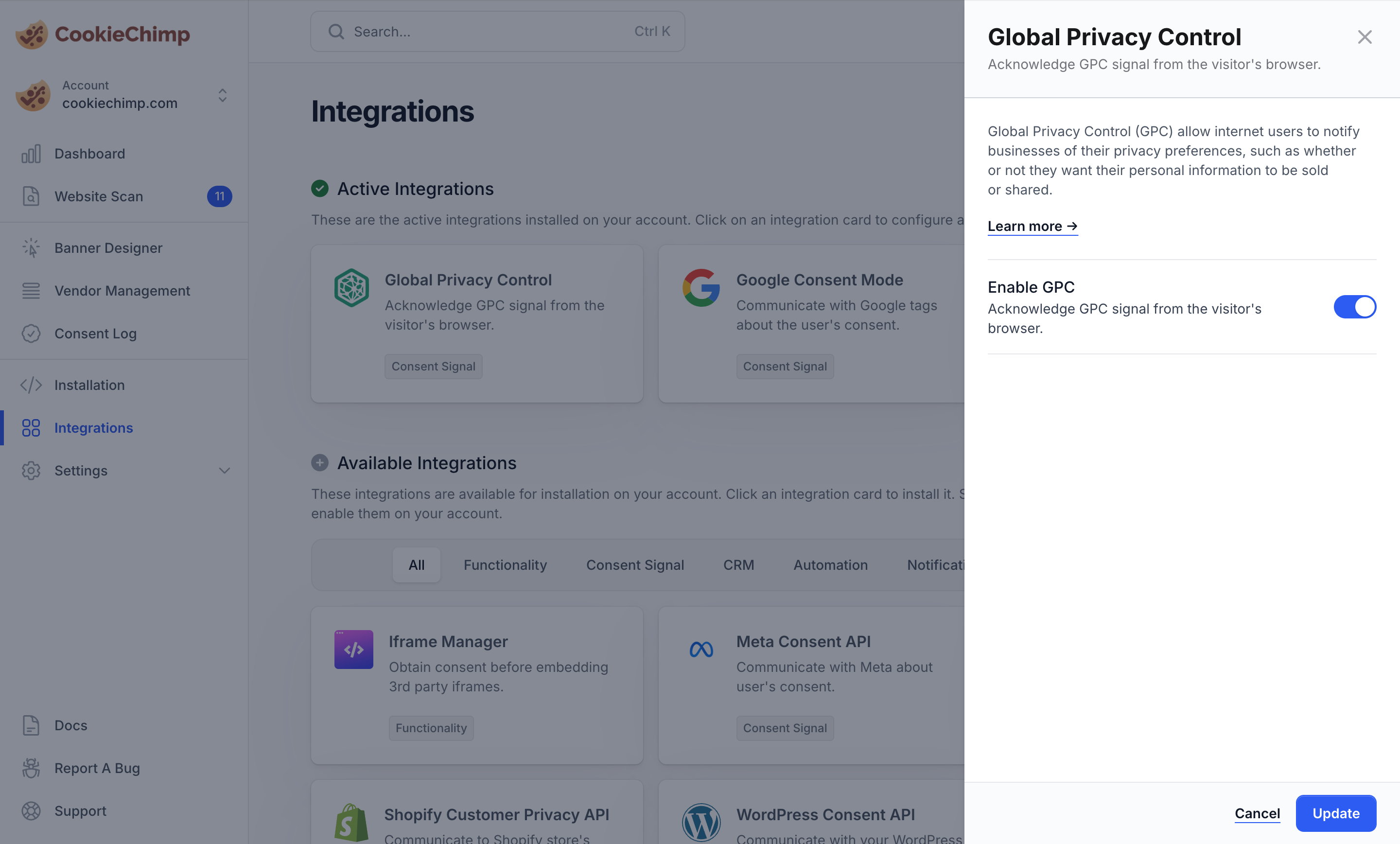
2
Toggle it on
Turn the integration on. No further configuration is required.
Which browsers send GPC?
- DuckDuckGo browser
- Brave (with the GPC setting enabled)
- Firefox (via extensions such as Privacy Badger)
- Chrome, Edge, and Safari (via GPC extensions)
How do I verify it’s working?
- Enable Debug mode from Settings → Consent Features in your dashboard.
- Visit your site from a browser that sends GPC (e.g. DuckDuckGo or Brave with GPC on).
- The banner should not appear, and the browser console will log that opt-out preferences were applied automatically.
- Enable Debug mode from the CookieChimp dashboard and check the browser JS console for errors.
If you encounter any issues or need further assistance, please reach out to us via our chat.