> ## Documentation Index
> Fetch the complete documentation index at: https://docs.cookiechimp.com/docs/llms.txt
> Use this file to discover all available pages before exploring further.
# WordPress Consent API
> Share consent with any WordPress plugin that supports the WP Consent API.
The [WP Consent API](https://wordpress.org/plugins/wp-consent-api/) is a standard interface that WordPress plugins can read to find out whether a visitor has consented to a given category of tracking. When the integration is enabled, CookieChimp keeps the WP Consent API up to date as the user's preferences change, so compatible plugins (Google Site Kit, WooCommerce, MonsterInsights, and many others) can react automatically.
## Prerequisites
* The [CookieChimp WordPress plugin](https://github.com/IdentitySquare/CookieChimp-WP/archive/refs/heads/main.zip) installed and configured with your Account ID — see the [WordPress installation guide](/installation/wordpress).
* The [WP Consent API plugin](https://wordpress.org/plugins/wp-consent-api/) installed and activated from the WordPress plugin directory.
## How do I enable it?
Go to **Integrations** in your CookieChimp dashboard and find the WordPress Consent API card.
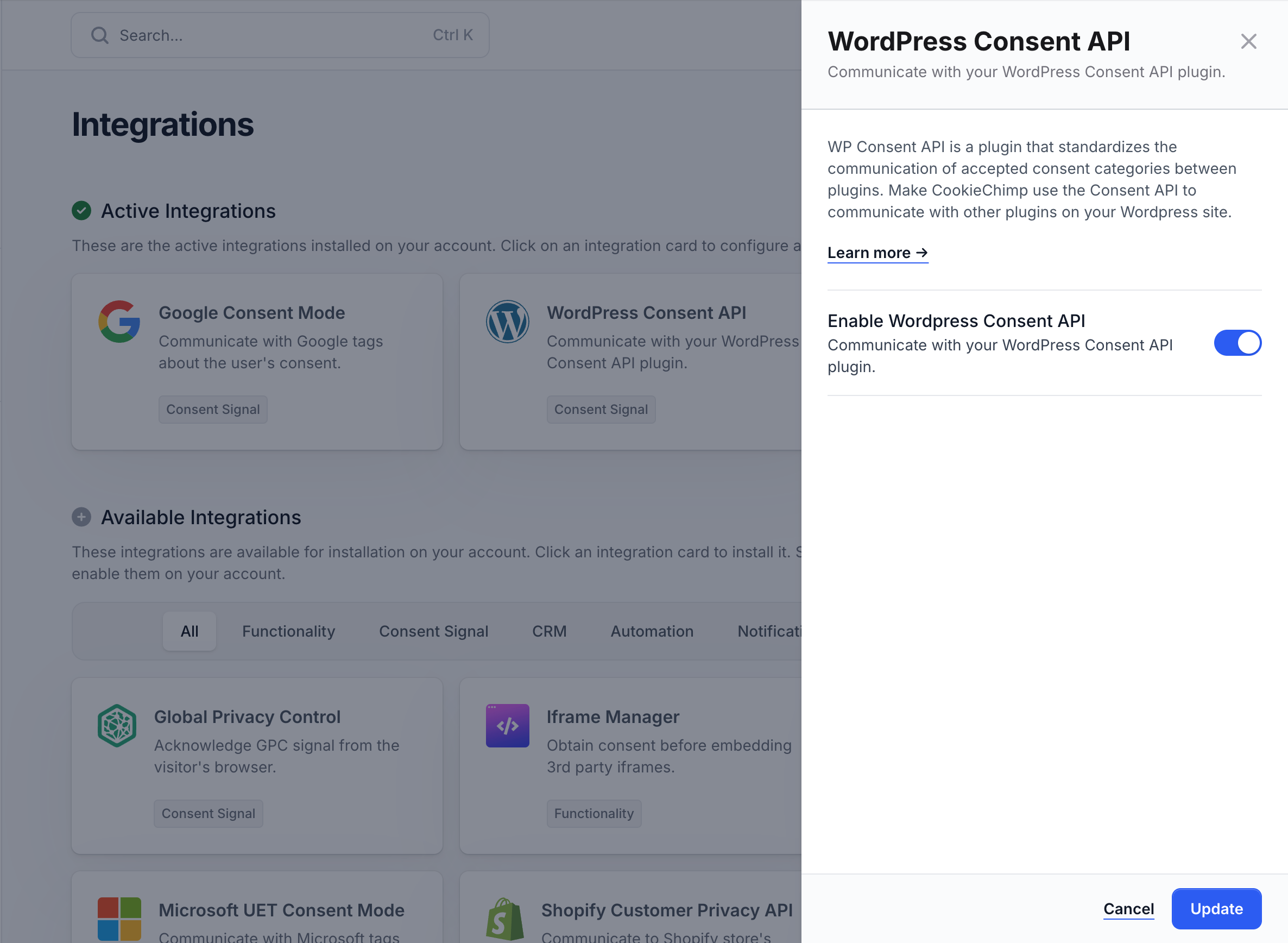 CookieChimp will start writing consent state to the WP Consent API on page load and whenever the visitor updates their choices. Plugins that listen to the API will pick this up automatically.
## How does CookieChimp map to WP Consent types?
| CookieChimp Category | WP Consent API Type |
| -------------------- | ------------------- |
| essential | `functional` |
| analytics | `statistics` |
| marketing | `marketing` |
| personalization | `preferences` |
## How do I verify it's working?
In a PHP file or via the [Query Monitor](https://wordpress.org/plugins/query-monitor/) plugin, check the consent state directly:
```php theme={null}
wp_has_consent( 'statistics' ); // true if analytics is accepted
wp_has_consent( 'marketing' ); // true if marketing is accepted
```
Change your consent choices on the front end and refresh — the values returned by `wp_has_consent()` should update accordingly.
CookieChimp will start writing consent state to the WP Consent API on page load and whenever the visitor updates their choices. Plugins that listen to the API will pick this up automatically.
## How does CookieChimp map to WP Consent types?
| CookieChimp Category | WP Consent API Type |
| -------------------- | ------------------- |
| essential | `functional` |
| analytics | `statistics` |
| marketing | `marketing` |
| personalization | `preferences` |
## How do I verify it's working?
In a PHP file or via the [Query Monitor](https://wordpress.org/plugins/query-monitor/) plugin, check the consent state directly:
```php theme={null}
wp_has_consent( 'statistics' ); // true if analytics is accepted
wp_has_consent( 'marketing' ); // true if marketing is accepted
```
Change your consent choices on the front end and refresh — the values returned by `wp_has_consent()` should update accordingly.